
As is well known, Binance API access is restricted in mainland China and Hong Kong, so users in these regions need to set up a proxy. The tutorial below covers proxy setup with Clash; just follow the steps below. Although Clash versions differ, the setup is largely the same
1. In the Clash client, click Settings, then Port Settings, and check the mixed proxy port. It is usually 7890, and may be 7897 in the Verge version; use the actual value. Then select a proxy node (Japan, Korea, Singapore, etc.) and start the connection
2. In the CubeQuants client, click System Settings -> Proxy, enter "127.0.0.1:7890", that is 127.0.0.1: Clash port number, and click Save!
3*. If the VPN uses TUN mode, leave the proxy setting in [CubeQuants client] empty! (Mainly because TUN mode is a virtual network adapter mode: all networked programs on the computer go through the virtual adapter by default, so there is no need to configure the proxy in the trading client again)
Reference screenshots:
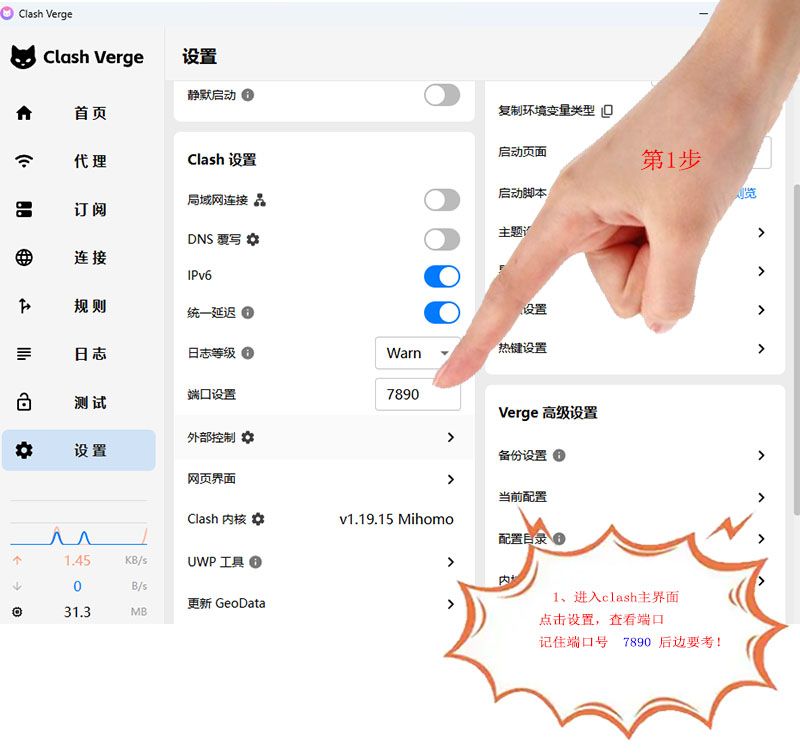
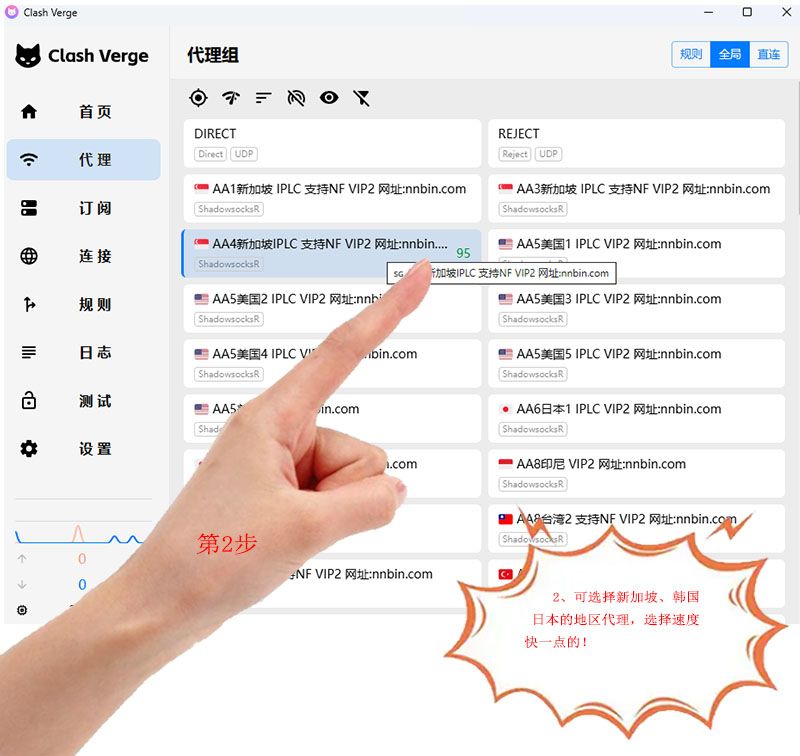

Clash Verge desktop tutorial: /static/vedio/video3.mp4
Clash Verge desktop download: Clash Verge
Recommended Clash subscription providers: WgetCloud, TAG, FlyingBird, NEXITALLY, Gatern
Finding a proxy subscription service: Clash subscription recommendations (there are usually free trials and paid subscriptions; customers need to learn Clash-related knowledge on their own)