Step 2. Register and bind CubeQuants

Step 2: Basic Settings in the CubeQuants Client

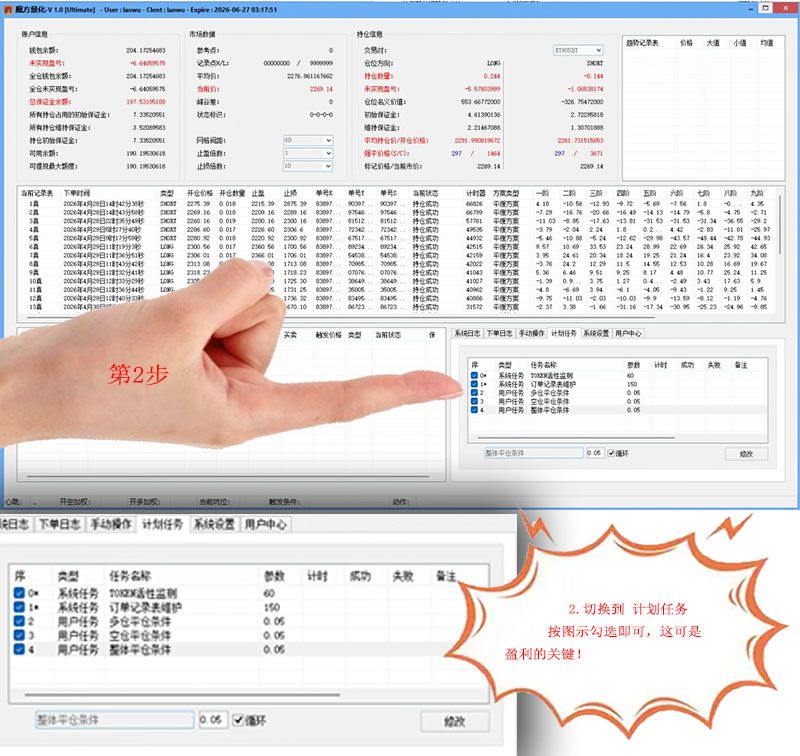
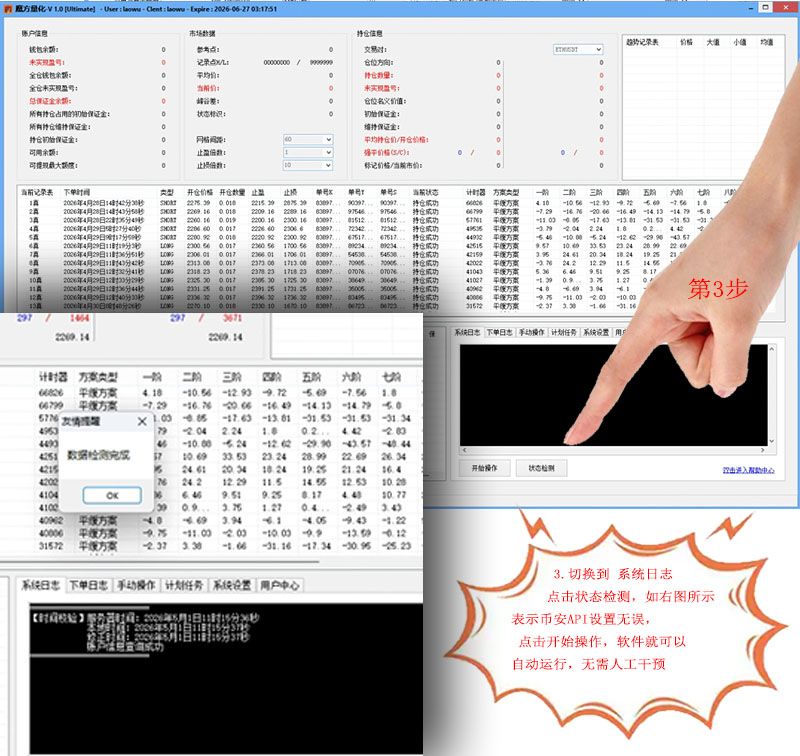
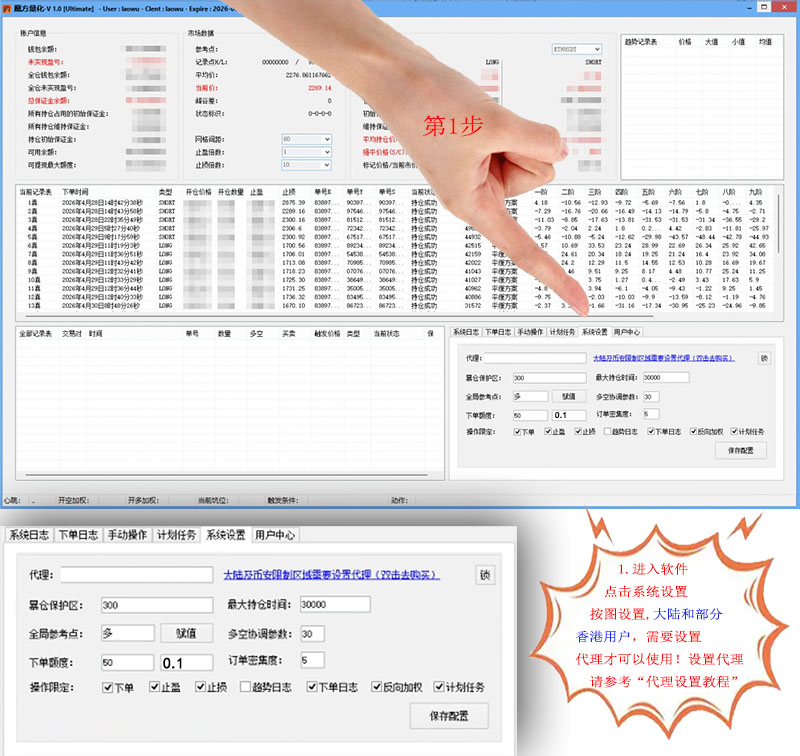
Basic setup and usage of the CubeQuants client. Configure it as shown below. Users in mainland China and Hong Kong also need a proxy setup.

Basic settings and usage of the CubeQuants client. After entering the client, configure it as follows. Users in mainland China and Hong Kong need to set up a proxy additionally; for the proxy setup method, please refer to the "proxy setup guide"

CubeQuants capital requirement: 500U or more (a recommendation only, not mandatory)


Previous Step 1: Register CubeQuants Client and Bind a New Device Next Advanced: Useful Tips for Using the Client

Related tutorials

Back to help center